Vocabulary and Spelling lessons are located in the Book Taco student dashboard. Each book may have vocabulary and spelling activities that you can access through the book menu. These activities help you learn and practice the words in your assigned books.
Where to find Vocabulary and Spelling
Vocabulary and Spelling lessons are located in the Book Activities menu for each book you are assigned. When you open a book in Book Taco, you'll see a sidebar on the left with all available activities.
How to access the activities
- Go to your Book Taco student dashboard.
- Select a book that has been assigned to you (books with vocabulary and/or spelling activities will have them available).
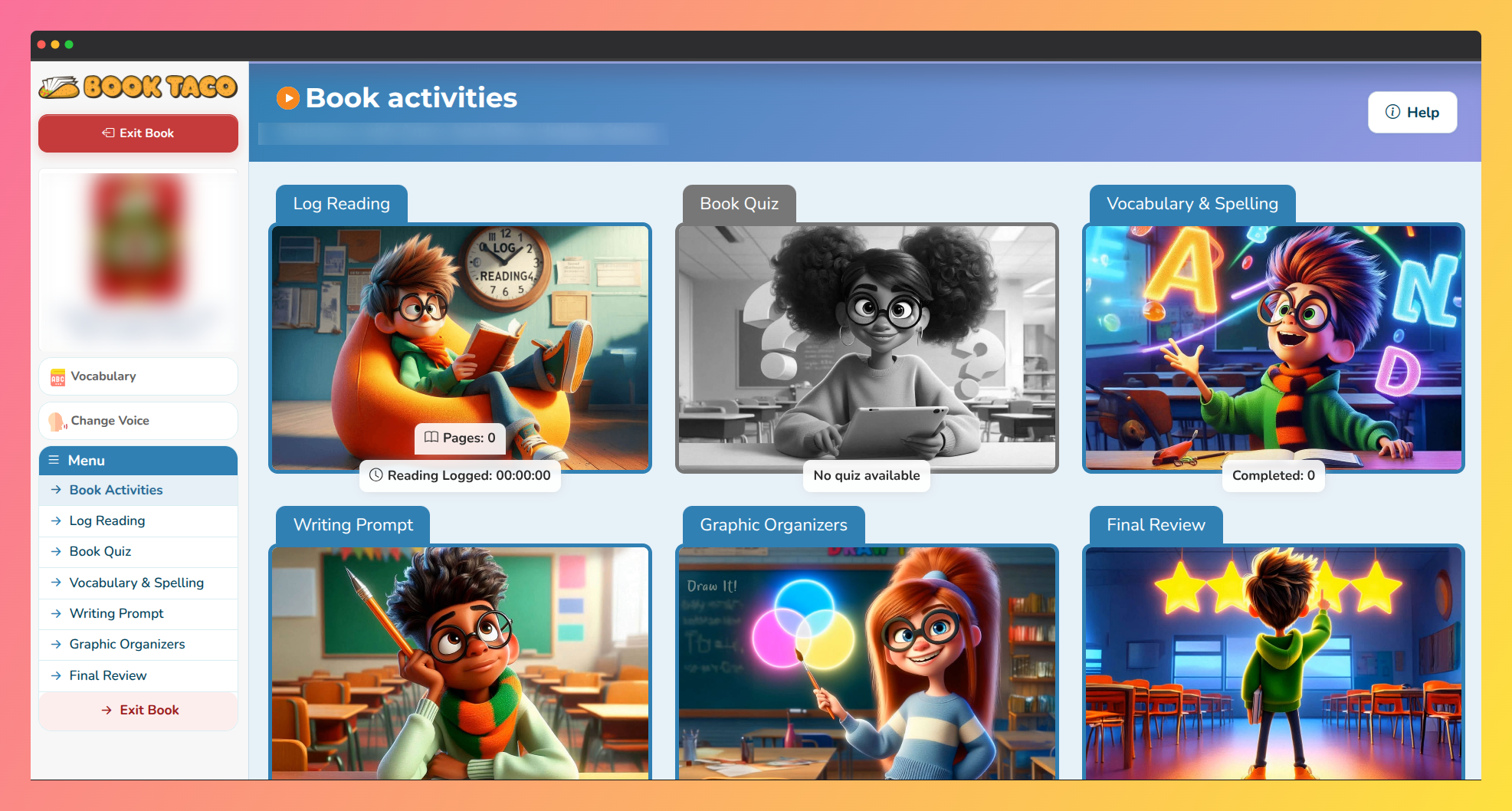 Screenshot of the Book Taco Activity Hub.
 - Look at the sidebar menu on the left sideof the screen. You'll see a list of activities including:
- Book Activities
- Read book / Log Reading
- Book Quiz
- Vocabulary & Spelling ← Click here
- Writing Prompt
- Graphic Organizers
- Final Review
- Click on Vocabulary & Spelling to see all available lessons for that book.
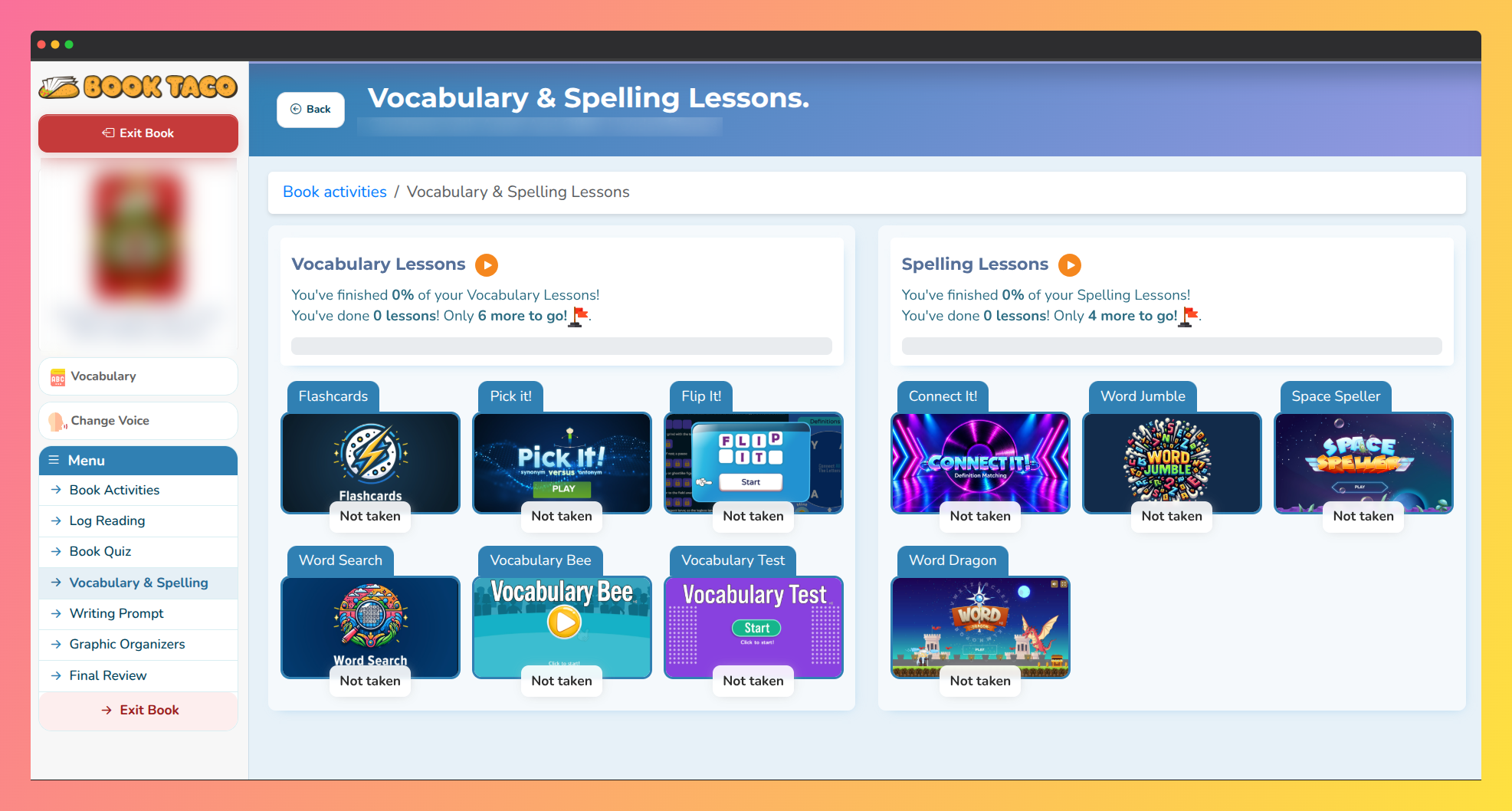 Screenshot of Book Taco vocabulary and spelling activities.
What you will find in each activity
When you click on a Vocabulary or Spelling lesson, you'll see:
- Activity Title and Description — The name of the lesson and what words or topics you'll be learning.
- Start Activity Button — Click to begin the lesson if you haven't completed it yet.
- Your Grade — Your final score on the activity (shown as a percentage).
- Passing Grade — The minimum score you need to pass the activity, set by your teacher.
- Reward — Game Coins you can earn for completing the activity.
- Rating Option — After you complete the activity, you can rate it with stars to let your teacher know what you thought.
Activity requirements and passing grades
Each Vocabulary and Spelling activity has specific requirements:
- Passing Grade — Your teacher sets a passing grade for each activity (often 70%, 80%, or 90%). You must score at least this percentage to pass.
- Word Definitions, Sentences, Synonyms, and Antonyms — The activities include words with their definitions, example sentences, and related words to help you learn.
- Game Coins Reward — When you pass the activity, you earn Game Coins that you can use in your Book Taco account.
- Not Available? — If a book doesn't have Vocabulary and Spelling activities yet, you won't see the link in the sidebar. Your teacher can create these lessons in the future.
Tip: The Vocabulary button in the sidebar also lets you view all the words from the book in a separate vocabulary modal. Click the Vocabulary button to see word definitions, sentences, synonyms, and antonyms any time while reading.
Note: Your teacher controls which Vocabulary and Spelling activities you see, how many times you can take them, and what grade you need to pass. If you have questions about a specific activity, ask your teacher.
Was this article helpful?
That’s Great!
Thank you for your feedback
Sorry! We couldn't be helpful
Thank you for your feedback
Feedback sent
We appreciate your effort and will try to fix the article