To access your Book Taco account, you will need the username and password your teacher set up for you. Follow the steps below to log in.
Step 1: Go to the Login Page
Open your browser and go to booktaco.com. Click the Login button at the top of the page.
Step 2: Select Student Login
You will see three options. Under I'm a student, click the Login button.
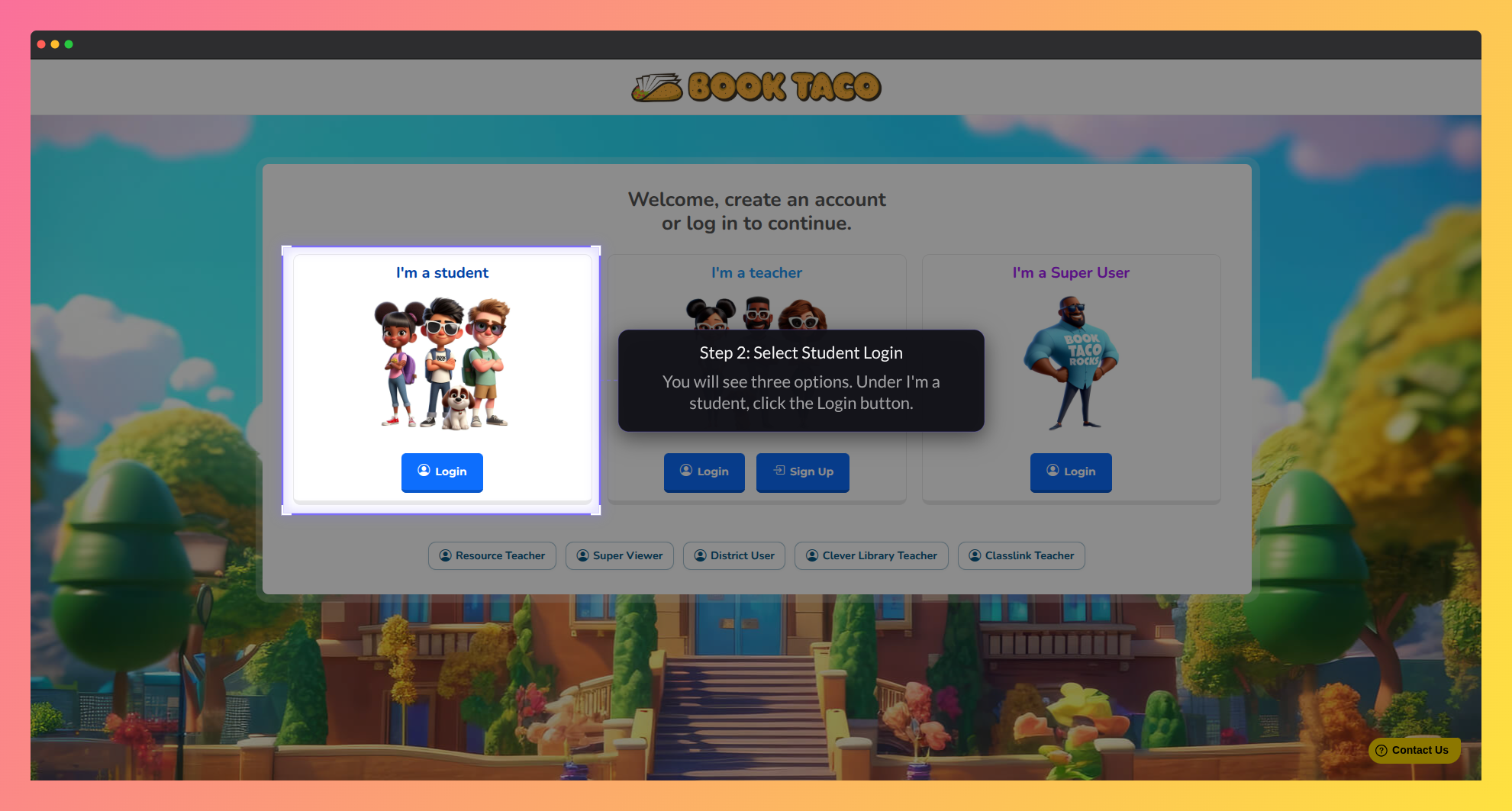
Screenshot of the Book Taco login and account selection screen.
Step 3: Enter Your Username and Password
Type your Username and Password in the fields provided. Your teacher created these credentials for you.
Step 4: Click Login
Click the Login button to access your account. You will be taken to your student dashboard.
Other Ways to Log In
Depending on how your school is set up, you may log in differently:
- Clever: Log in through your school's Clever Launchpad and click the Book Taco app. You do not need a username or password.
- ClassLink: Log in through your school's ClassLink Launchpad and click the Book Taco app. You do not need a username or password.
If you are a Clever or ClassLink student, use your school platform's launchpad to open Book Taco — do not use the student login form on booktaco.com.
Forgot Your Login Details?
There is no self-service password reset for students. If you do not know your username or password, ask your teacher to look them up or reset your password for you.
Was this article helpful?
That’s Great!
Thank you for your feedback
Sorry! We couldn't be helpful
Thank you for your feedback
Feedback sent
We appreciate your effort and will try to fix the article