As a Super User, configuring the school year once applies it to your entire program — every teacher linked to your account and their students are updated automatically. Here's how to do it.
Step 1: Open your Super User Panel
Log in to your Book Taco Super User account. If your program's school year has not been configured yet, the Set up your school year modal will appear automatically when you open your panel.
Step 2: Fill in the school year dates
The modal asks for two dates:
- Current year ends on — the last day of the current school year. A suggested date is pre-filled based on the platform calendar; adjust it to match your program's actual end date.
- Next year starts on — the first day of the next school year. This must be a date after the current year's end date.
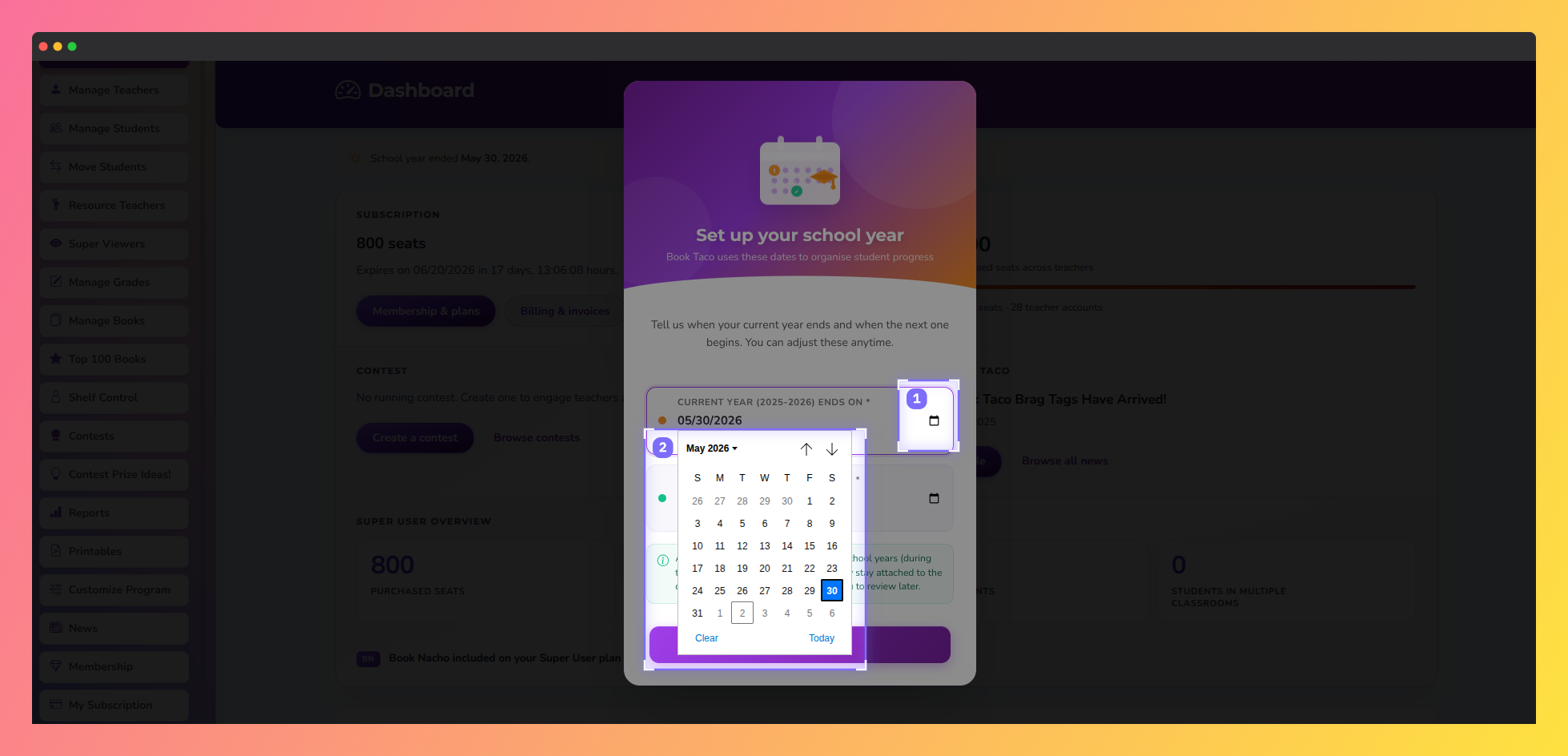 Screenshot of the Book Taco school year setup calendar showing how super users can select the current school year end date and next school year start date using the built-in date picker.
Any reading activity students complete during the summer gap between the two school years is never lost — it stays attached to the current year and remains available in your reports.
Step 3: Save and confirm
Click Save school year. Book Taco will immediately apply the current period to your account and to every teacher linked to your program. Their students are enrolled in the new period automatically — no action is needed from individual teachers.
The next school year is also queued automatically. On the start date you entered, Book Taco will transition all students to the new period without any manual intervention.
Teachers linked to your account cannot configure their own school year. Their period is always inherited from your Super User account.
Was this article helpful?
That’s Great!
Thank you for your feedback
Sorry! We couldn't be helpful
Thank you for your feedback
Feedback sent
We appreciate your effort and will try to fix the article