The Book Taco Library reader has a Settings panel that lets you control features like Narration (Read Aloud). You can disable narration by setting the Narration volume slider to 0%, or customize other reading preferences like highlight colors, music, and reading speed.
What is Narration (Read Aloud)
Narration is the Read Aloud feature in Book Taco Library that lets you listen to books read aloud by an AI narrator. When you open a book in Book Taco Library, you can use the Narration slider in Settings to control the volume of the narration from 0% (silent) to 100% (full volume). You can also pause/resume narration anytime using the toolbar buttons.
How to access Settings
- Open a book in Book Taco Library.
- Look at the top toolbar of the reader and click the Settings button (gear icon).
- The Settings panel will open on the right side, showing all available reading customizations.
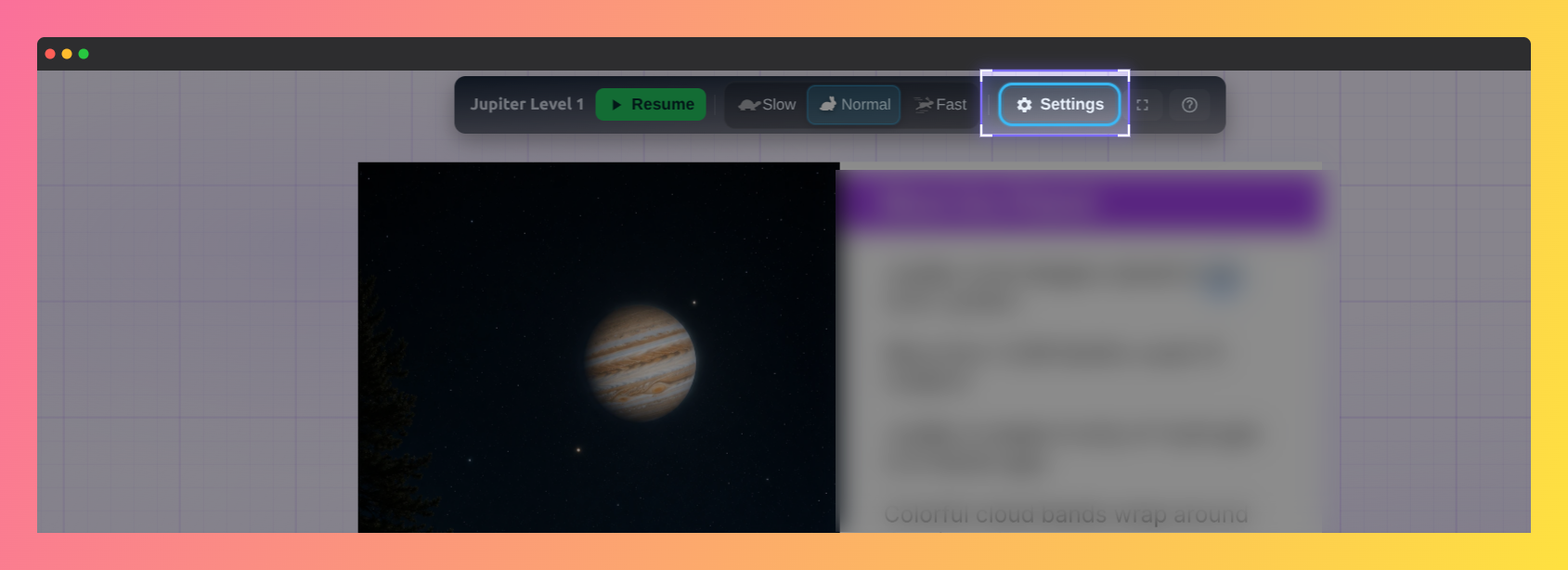 Screenshot of a book from the Book Taco Library highlighting the settings button.
How to turn off Narration
To disable Read Aloud (Narration):
- Click the Settings button while reading a book in Book Taco Library.
- Find the Narration option in the Settings panel. You'll see a volume slider with a percentage displayed.
- Drag the Narration slider all the way to the left to set it to 0%.
- Narration is now muted. Your settings are saved automatically.
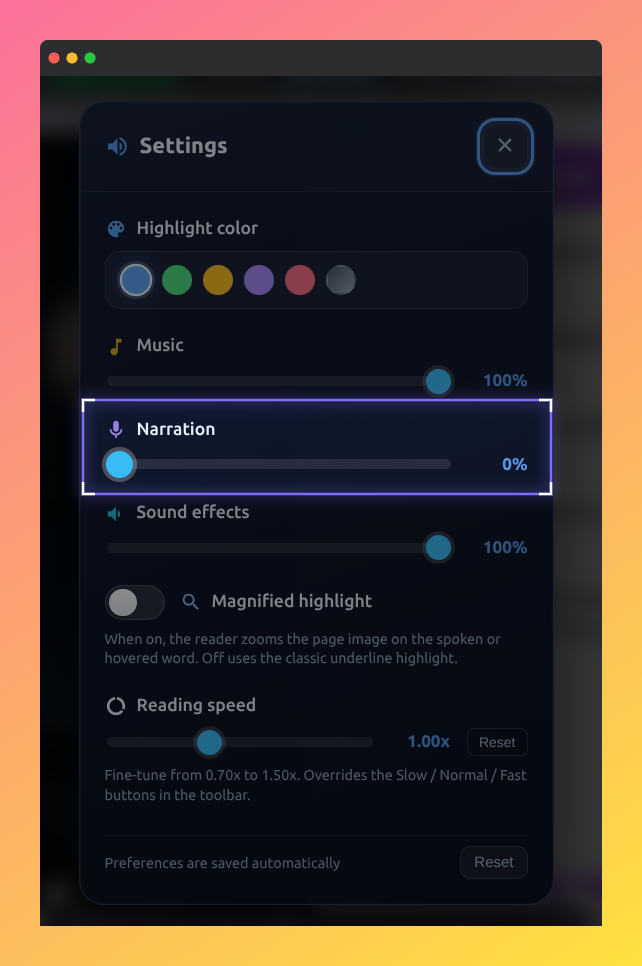 Screenshot of the settings modal showing Narration volume at 0%.
Other Settings options
In the Settings panel, you can customize:
- Highlight color — Choose your preferred color for highlighted text (blue, green, yellow, purple, pink, or gray).
- Music — Adjust background music volume (0–100%).
- Narration — Control Read Aloud volume (0–100%).
- Sound effects — Adjust sound effect volume (0–100%).
- Magnified highlight — Toggle to zoom in on spoken or hovered words.
- Reading speed — Fine-tune narration speed from 0.7x to 1.5x (overrides Slow/Normal/Fast buttons in the toolbar).
Tip: If you want to completely silence all audio while reading, set Music, Narration, and Sound effects sliders to 0%.
Note: Your Settings preferences are saved automatically. The next time you open a book in Book Taco Library, your narration volume and other settings will be exactly as you left them.
Was this article helpful?
That’s Great!
Thank you for your feedback
Sorry! We couldn't be helpful
Thank you for your feedback
Feedback sent
We appreciate your effort and will try to fix the article