The Minimum Quiz Pass Rate is an optional requirement for Goal-Based contests that use Book Quizzes. It makes sure students earn their quiz passes through accuracy, not by retaking quizzes over and over until enough attempts pass. When you set it, a student must reach the contest goal and pass at least that percentage of all their quiz attempts during the contest.
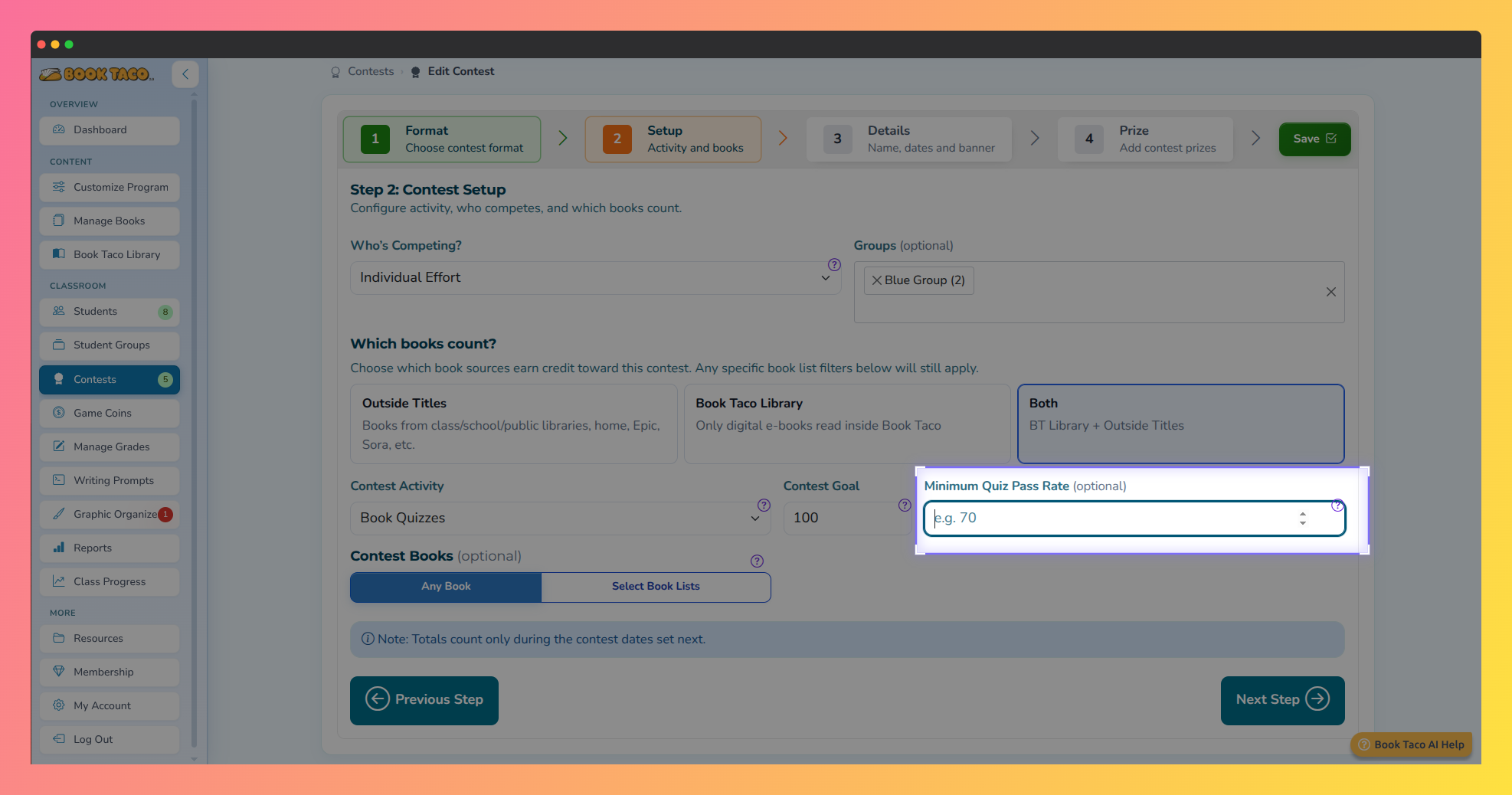 Book Taco screenshot highlighting the Minimum Quiz Pass Rate field.
How the pass rate works
- A student qualifies only when all active requirements are met:
- Contest Goal — the number of quizzes the student must pass.
- Passing Quiz Score — the minimum quiz score set for your class. This is not a contest setting.
- Minimum Quiz Pass Rate — the percentage of the student’s quiz attempts that were passing scores (passed attempts ÷ total attempts).
- Only attempts made during the contest dates count. Incomplete attempts count as attempts, so they lower the rate.
Example: The goal is 10 quizzes, the class passing score is 70%, and the minimum pass rate is 70%. A student who passes 10 out of 14 attempts (71.43%) qualifies. A student who passes 10 out of 25 attempts (40%) does not, even though they reached 10 passes.
Step 1: Create a Goal-Based Book Quizzes contest
- In the left sidebar, click Contests, then click Add new Contest.
- In Choose a Contest Format, select Goal-Based.
- In Contest Setup, set Contest Activity to Book Quizzes.
The Minimum Quiz Pass Rate field only appears for Goal-Based contests with Book Quizzes as the activity. It is hidden for Leaderboard contests and for any other activity, and any value typed there is cleared when you switch.
Step 2: Set the Minimum Quiz Pass Rate
- Enter the Contest Goal, for example 10.
- In Minimum Quiz Pass Rate (optional), enter a whole number from 1 to 100, for example 70.
- Leave the field empty if you don’t want an accuracy requirement. The contest then works exactly as before.
- Finish the remaining steps (Details and Prize) and create the contest.
Individual vs. Classroom: In an Individual contest, each student’s own pass rate is checked. In a Classroom contest, the pass rate is calculated for the whole class (total passed attempts ÷ total attempts), and the class only achieves the goal when both the goal and the rate are met.
Step 3: Monitor the pass rate
- Open the contest from the Contests page and click Monitor.
- The contest summary shows Min pass rate next to the goal.
- The student table includes a Pass Rate column showing passed attempts, total attempts and the percentage. A green badge means the student meets the minimum, a red badge means they don’t.
- In Classroom contests, the class pass rate is shown with the required minimum.
What students see
- On the contest page, students see Minimum Quiz Pass Rate and a note that this percentage of their quiz attempts must be passing scores.
- Their progress area shows Your quiz pass rate with the required percentage.
- Students see Requirements met once they reach the goal and the minimum rate. Until then they see how many passes and what pass rate they still need.
Good to know: The pass rate can go down as well as up. If a student is close to the goal but has many failed attempts, they may need to pass more quizzes to bring the rate back above the minimum.
Was this article helpful?
That’s Great!
Thank you for your feedback
Sorry! We couldn't be helpful
Thank you for your feedback
Feedback sent
We appreciate your effort and will try to fix the article