If you're looking for a specific book in Book Taco but can't find it, you can add it yourself. Teachers can search Google Books from the "Add New Book" page and import the title into their classroom library. If the book isn't in Google Books, you can add it manually.
Search Book Taco first
Before adding a new book, search Book Taco to make sure it's not already there:
- Go to Manage Books from your teacher dashboard.
- Search by title, author, or ISBN.
- Try variations of the title or author name if your first search doesn't work.
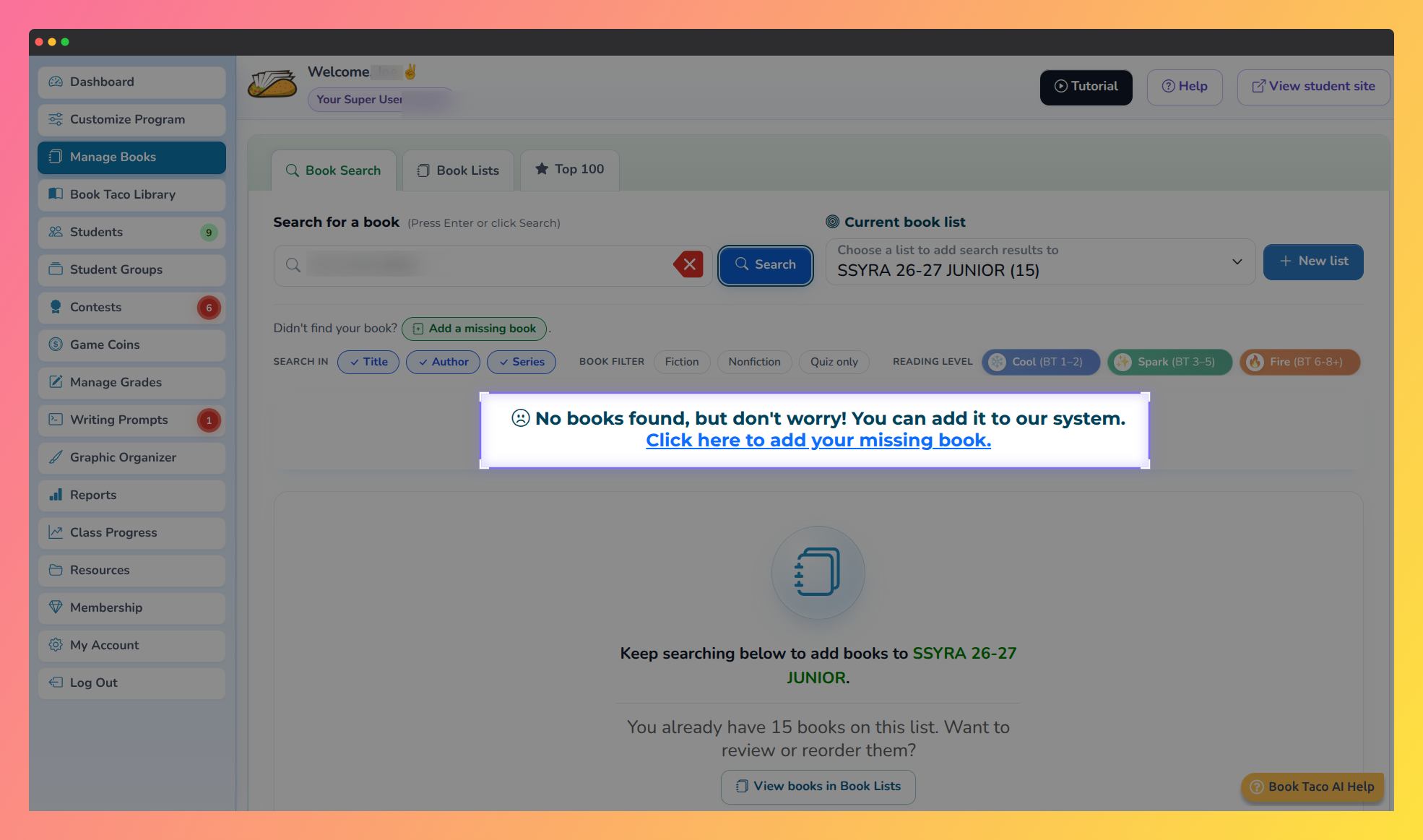 Screenshot of Book Taco showing a search with no results.
Add from Google Books
You can search Google Books from Book Taco and import titles directly into your classroom library:
- Go to Manage Books from your teacher dashboard.
- Click "Add new Book" at the top.
- You'll be taken to the "Add new book (from Google)" page.
- Search by title, author, or ISBN in the search box.
- Browse the results. Click on a book to see more details.
- Click "Add to my library" to import the book into your Book Taco classroom.
- The book is now available in your classroom library for students to find and read.
Important: When you add a book from Google Books, you're importing it into your classroom library only — it won't have a Book Taco quiz unless one already exists for that title.
Add book manually
If you can't find a book in Google Books, you can add it manually by entering the details yourself:
- From the "Add new book (from Google)" page, look for "Not in Google Books?" section.
- Click "Add book manually".
- Fill in the book details: title, author, ISBN (if available), cover image, description, and other metadata.
- Click "Add to my library" to save the book.
The manually added book will appear in your classroom library and students can read it, though it won't have an official Book Taco quiz.
Report an issue
If you find incorrect information about a book (wrong cover, author, title, ISBN), you can report it:
- From the search results or book details, click "Report an issue" (usually shown as a report icon or menu option).
- Fill in the issue details: what's wrong and how it should be corrected.
- Submit your report.
- The Book Taco team will review and correct the book information.
Tip: When adding books manually, include as much detail as possible (ISBN, cover image, description) so your students have the best experience and so the Book Taco team can match your manual entry to an existing title in the system.
Note: Books you add manually appear only in your classroom library. They won't show up in the main Book Taco catalog for other teachers unless you report the book to Book Taco support for permanent addition to the system.
Was this article helpful?
That’s Great!
Thank you for your feedback
Sorry! We couldn't be helpful
Thank you for your feedback
Feedback sent
We appreciate your effort and will try to fix the article