Teachers can download a student’s Final Review writing as a PDF from Manage Grades. The file includes the student’s review text, book details, and star rating (when available). Use it for conferences, portfolios, parent meetings, or keeping a printed record of student writing.
What’s included: The PDF shows the student name, submission date, book title, module (Final Review), star rating (when available), and the student’s written review.
Step 1: Open Manage Grades
- From your Teacher Dashboard, click Manage Grades in the left sidebar.
- You’ll see grades for your students across Book Taco modules.
Step 2: Find the Final Review
- In the filters at the top, set Module to Final Review.
- Optionally search by student name or book title.
- Click Filter to update the list.
Pro Tip: Filtering by Final Review first makes it much easier to find the row you want before exporting.
Step 3: Export to PDF
- On the Final Review row, open the Actions menu.
- Click Export to PDF.
- Your browser downloads a PDF file named after the student (for example,
Jane-Doe-final-review.pdf).
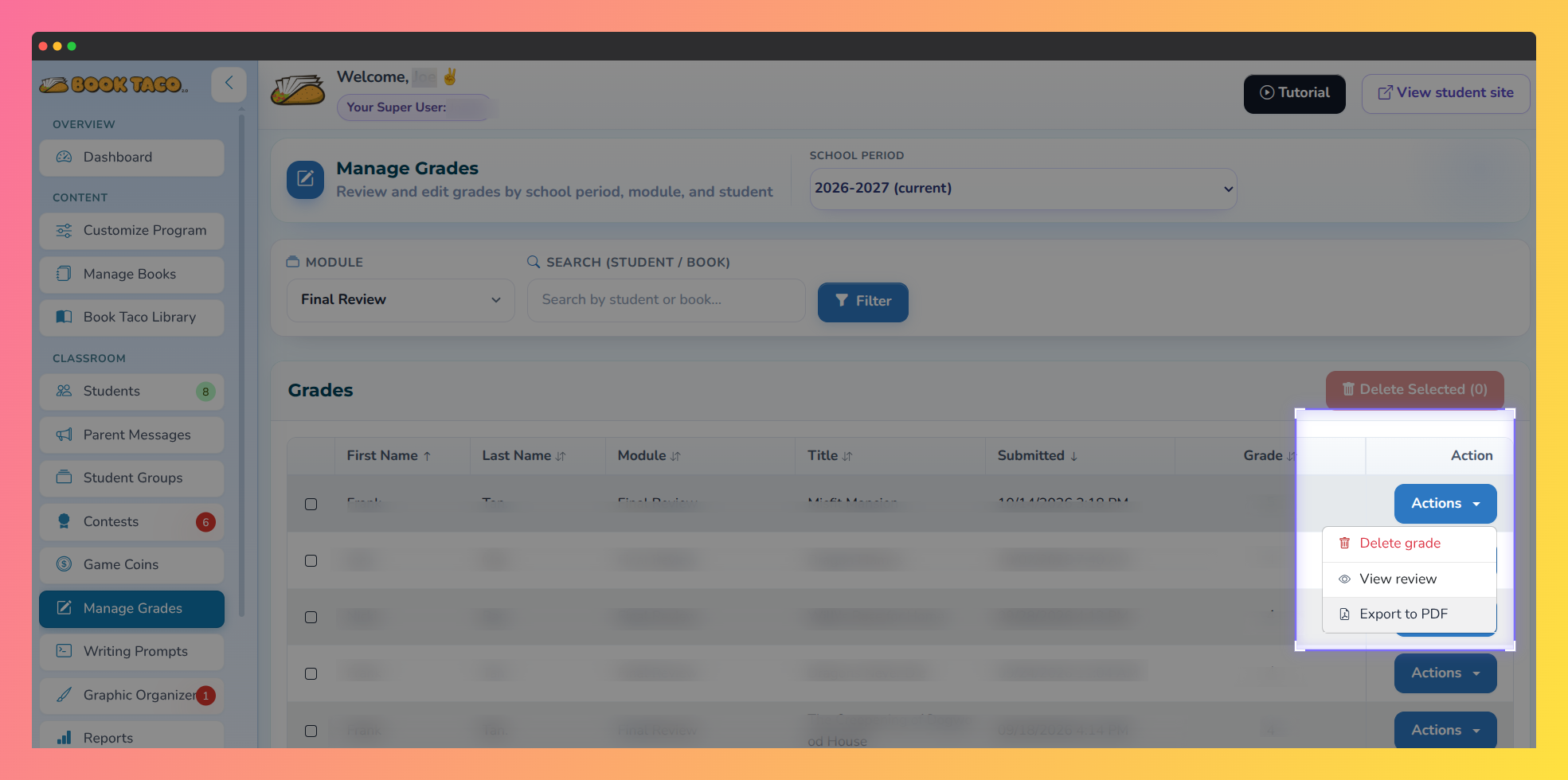 Teacher Manage Grades Actions menu showing Export to PDF for a Final Review.
Pro Tip: Want to preview the writing first? Choose View review from the Actions menu. In that window you can also click Export to PDF.
Important: View review and Export to PDF appear only when the Final Review includes written text. If a student submitted stars without a written review, those options may not be available.
Q: Where is the Export to PDF option?
A: In the Actions menu on the Final Review row in Manage Grades. You can also export from the review window after choosing View review.
Q: Does the PDF include the star rating?
A: Yes, when a star rating was saved with the Final Review. The written review text is always the main content of the export.
Was this article helpful?
That’s Great!
Thank you for your feedback
Sorry! We couldn't be helpful
Thank you for your feedback
Feedback sent
We appreciate your effort and will try to fix the article